

Need your CelcomDigi e-Invoice for tax, claims or records? Learn how to request, view and download it quickly through the CelcomDigi e-Invoice Portal.


Malaysia’s transition to digital tax reporting means more businesses and individuals now need e-Invoices for tax submissions, claims, or record-keeping.
If you’re a CelcomDigi customer, your transactions are automatically generated as LHDN-compliant e-Invoices that can be accessed through the CelcomDigi e-Invoice Portal.
In this guide, we’ll show you how to request, view and download your CelcomDigi e-Invoice step by step, whether you’re using postpaid, fibre, prepaid or making a one-time purchase.
A CelcomDigi e-Invoice is a digital invoice generated for transactions made directly with CelcomDigi. Each invoice includes a unique transaction identification number and complies with Malaysia’s digital tax requirements.
You may need it for:
All e-Invoices are accessible through the CelcomDigi e-Invoice Portal.
Your process depends on the type of transaction.

If you subscribe to e-Invoicing via the portal using your billing account number, your monthly e-Invoice will be automatically emailed to you.
For prepaid users or one-time purchases:
Follow these simple steps.
Go to the official portal and create an account if you are a first-time user.
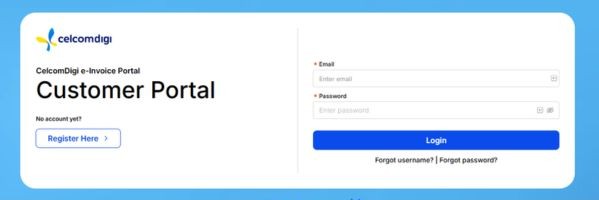
Fill in the required details:
Postpaid or fibre users must subscribe using their service or billing account number.
Check your email and click the verification link.
Once logged in, you can:
Downloading your CelcomDigi e-Invoice is quick once your account is set up on the portal. Whether you’re managing monthly postpaid bills or retrieving invoices for one-time purchases, the process ensures you always have secure access to your digital records.
For an even smoother experience managing your mobile lines, bills and rewards, you can also explore the CelcomDigi app, which lets you handle many of your telco services in one place